Skip to content


Part of any successful global expansion is the business’s digital presence, but with everyone glued to their phones lately, presenting your brand through just a website won’t cut it; you also need a well-designed and localized app!
Building applications that speak your users’ language isn’t just about translation; it’s about creating experiences that feel authentic, native, and culturally appropriate. One of the best tools that can help you with that is Laravel!
Laravel, a framework renowned for its elegant syntax and developer-friendly experience, offers a powerful, built-in system for internationalization (i18n) and localization (l10n), making the process of creating a multi-language app more accessible than ever. In this article, we cover everything you need to know about Laravel localization.
Laravel Localization Fundamentals
Laravel localization system is built on flexibility, giving you the chance to choose the approach that best fits your application’s needs while maintaining clean, maintainable code. Before going into details about the configuration process, let’s clear up some fundamentals first.
Understanding Internationalization vs. Localization

Internationalization and localization are frequently confused concepts, but in reality, they complement each other. Internationalization (i18n) refers to designing your application’s architecture to support multiple languages and regions without requiring engineering changes. Internationalization in Laravel localization involves setting up date, time, and currency formats that vary from one region to another.
Localization, the next step, adapts that internationalized application for specific markets through translation and cultural customization. Localization is adapting said internationalized applications to a specific language through translation.
Think of internationalization as building the foundation, and localization as furnishing each room for different occupants.
Why Localization Matters for Your Laravel App
Implementing Laravel localization in your app gives it a chance to reach a wider customer base. A well-localized application fosters a deeper connection with your users, leading to:
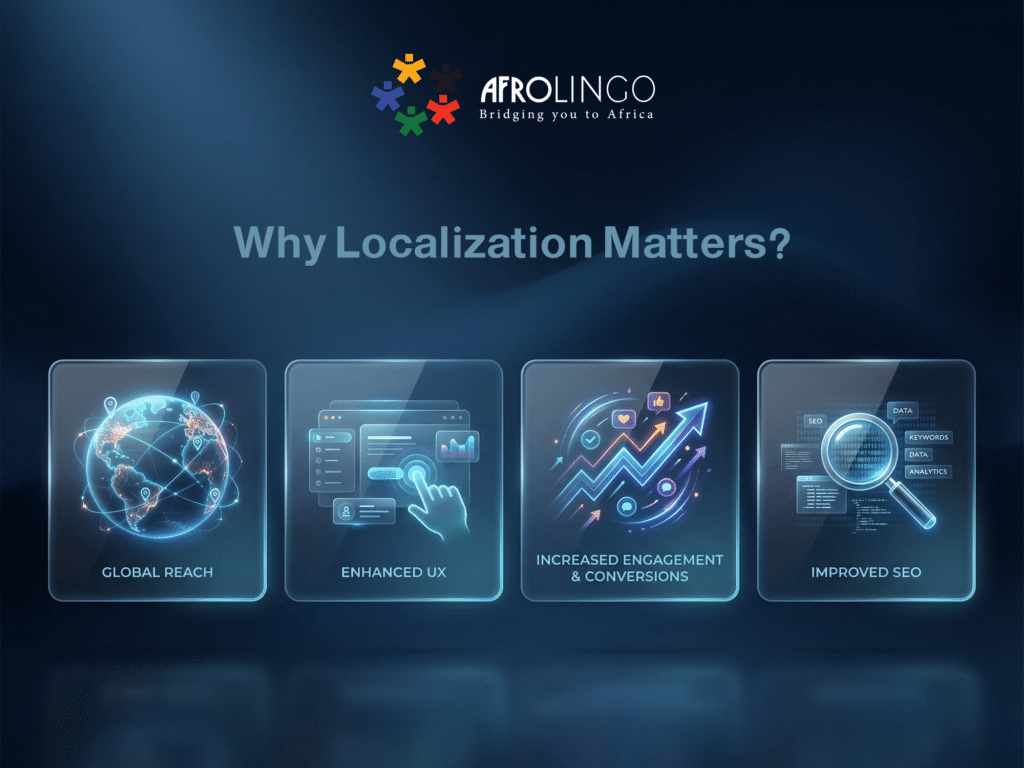
· Global Reach: Break down language barriers and tap into new international markets. Studies indicate that a significant majority of consumers (around 76%) are more inclined to purchase a product if information is provided in their native language.
· Enhanced User Experience (UX): Users feel more comfortable and engaged when interacting with an application in a language they understand. This personalized experience is a game-changer for user retention and satisfaction.
· Increased Engagement and Conversions: A localized interface directly impacts user interaction. When users can easily understand and navigate your application, they are more likely to convert, whether that means making a purchase, signing up, or completing a desired action.
· Improved SEO: Search engines increasingly favor content that is relevant to a user’s location and language. Localized content can significantly boost your search engine rankings in different regions, driving valuable organic traffic.
Core Concepts: Locales, Keys, and Translations
At its heart, the Laravel localization system revolves around a few key concepts:
· Locales: These are specific language and region identifiers, typically formatted as codes (e.g., en, fr, ar) and may optionally include region variants (e.g., en_US for American English, fr_FR for French, es_ES for Spanish). Laravel uses these codes to determine which translation files to load.
· Translation Keys: These are unique, human-readable identifiers for specific pieces of text within your application. Instead of hardcoding strings directly into your views or controllers, you use these keys.
· Translation Strings: These are the actual translated texts corresponding to the keys for a given locale. Laravel allows you to store these in language files.
How Laravel Handles Multiple Languages
Laravel’s approach to localization is built upon a few simple, yet powerful, components that work together to deliver a smooth multi-language experience.

- Centralized Configuration: The primary settings are managed in the config/app.php file. Here, you define the application’s default language (locale) and a fallback_locale. The fallback locale is fundamental; it’s the language Laravel will use if a translation string is missing in the user’s selected language, preventing broken text from appearing.
- Language Files: All translatable text, known as “translation strings,” is stored in the resources/lang directory.
- Translation Helper Functions: Laravel provides convenient helper functions, primarily the __() function, to retrieve translation strings from your language files. When you write {{ __(‘Welcome to our website!’) }} in a Blade template, Laravel automatically looks for this string in the file corresponding to the currently active locale and returns the appropriate translation.
By separating text from your application’s code and providing a simple way to configure and retrieve it, Laravel lays a strong foundation for building a fully localized application.
Getting Started: Your First Steps in Laravel Localization
Laravel makes it remarkably straightforward to implement multi-language support, even for complex applications. The framework’s conventions and helpful tools streamline the process.
Setting Up Your First Language
By default, Laravel applications are configured with English as the primary locale. You can set the default application locale and a fallback locale within your .env file or the config/app.php configuration file.
- APP_LOCALE: Defines the default language for your application.
- APP_FALLBACK_LOCALE: Specifies the language to use if a translation for the current locale is missing.

Creating and Managing Translation Files (.json and .php)
Laravel offers two primary methods for organizing your translation strings:
1. PHP Files: This traditional approach involves creating language files within the resources/lang/ directory. Each subdirectory represents a locale, and within these, you can have multiple PHP files (e.g., resources/lang/en/messages.php, resources/lang/fr/messages.php). These files return PHP arrays.

2. JSON Files: For applications with a large number of translatable strings, using JSON files can be more efficient. Each locale gets its own JSON file (e.g., resources/lang/en.json, resources/lang/fr.json).

When using JSON files, you can access translations using a simple key format (e.g., __(‘welcome’)). For PHP files, you typically use the file.key format (e.g., __(‘messages.welcome’)).
Dynamic Language Switching (Locale Switching)
Allowing users to switch languages dynamically is a cornerstone of a good multi-language experience. Laravel facilitates this through custom middleware and session management.
Step 1: Create a Middleware
Generate a middleware to handle locale detection and setting.

Step 2: Implement Middleware Logic
In app/Http/Middleware/Localization.php, you can set the locale based on user preferences stored in the session, a cookie, or even by the user’s browser settings.
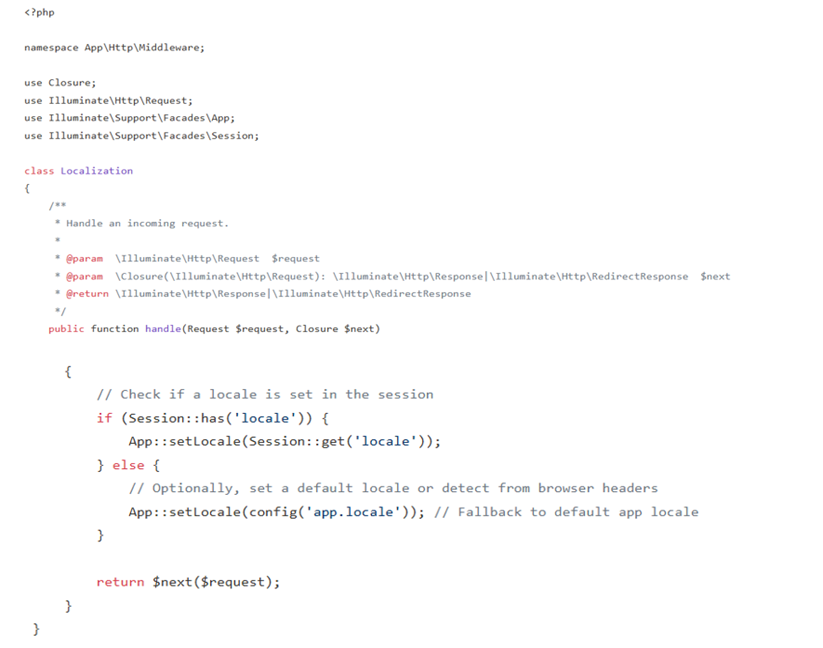
Step 3: Register the Middleware
Register the middleware globally or within the appropriate middleware group, depending on your Laravel version. It’s often best to run this middleware early in the stack, perhaps after the StartSession middleware.

Step 4: Create a Language Switcher UI
In your Blade views, you can create links or a dropdown to allow users to select their preferred language. This would typically trigger a route that updates the session variable.

You’ll typically define a custom list of supported locales (for example, in config/app.php or a dedicated config file) and use it in your middleware logic.

Handling Pluralization and Gender
Languages often have different grammatical rules for plurals and gender. Laravel’s trans_choice helper function is designed to handle these complexities.

The trans_choice function takes the key, the number of items to determine the correct plural form, and an optional array of replacements.
Supporting Right-to-Left (RTL) Languages
For languages like Arabic or Hebrew, you need to consider right-to-left (RTL) text direction. While Laravel doesn’t have a direct built-in feature for RTL styling, it provides the foundation. You would typically handle RTL styling in your CSS, often using a separate style sheet or conditional loading based on the application’s locale.
Your middleware can set the locale, and then your frontend logic can detect the locale and apply appropriate CSS classes or load RTL-specific style sheets.
Advanced Localization Techniques and Strategies
As your application grows in complexity and global reach, you’ll want to explore more advanced localization strategies.
1-Translation Management Systems (TMS) and APIs

For larger projects with multiple translators, teams, and a high volume of translations, manual file management can become hectic. Translation Management Systems (TMS) streamline the entire localization workflow. They provide features for:
· Centralized translation storage and management.
· Collaboration tools for translators and reviewers.
· Integration with development workflows (e.g., via APIs or webhooks).
· Automated translation suggestions and quality checks.
Integrating these systems can significantly improve efficiency and reduce errors.
2-Localized Formatting for Dates, Numbers, and Currencies
Presenting dates, numbers, and currencies according to local conventions makes a lot of difference in presenting a professional and user-friendly experience. PHP’s NumberFormatter class is invaluable here. You can leverage it within your Laravel application, often combined with your locale-setting middleware.

Ensure your APP_LOCALE uses region codes (e.g., en_US instead of just en) for more accurate formatting.
3-Integrating eCommerce Localization
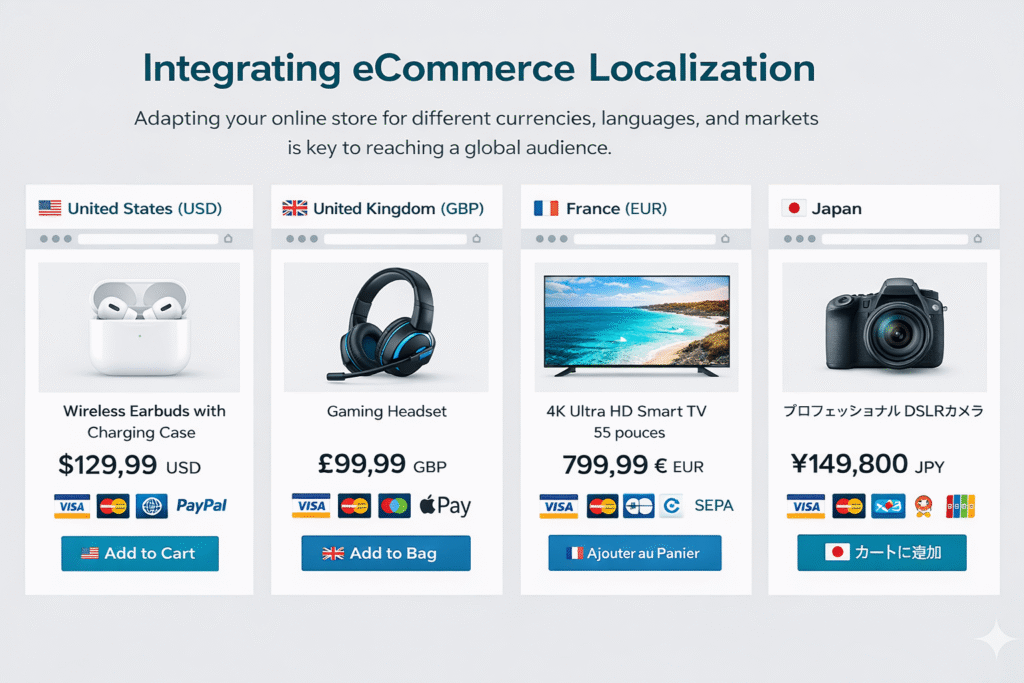
For eCommerce platforms, e-commerce localization is a must. Beyond just translating product descriptions and multi-lingual UI elements, consider:
- Currency Conversion: Dynamically displaying prices in the user’s local currency.
- Payment Gateways: Supporting regional payment methods.
- Shipping Options: Tailoring shipping options and costs based on the user’s region.
- Legal Compliance: Ensuring compliance with regional regulations (e.g., GDPR, CCPA).
This often involves more than just text translation and requires careful planning and potentially custom logic or specialized packages.
Conclusion
Laravel provides a powerful and flexible framework for brand localization and building multilingual e-commerce stores and applications. Integrating the Laravel localization in your application is a strategic investment that pays off in user engagement, global reach, and business growth.
Ready to expand your reach? Professional localization services can accelerate your journey. Afrolingo specializes in helping development teams deliver exceptional multi-language experiences that resonate across cultures and regions, ensuring your Laravel application speaks fluently to every user.