Skip to content

The Apple App Store spans 175 countries, yet a single-language iOS app creates a growth bottleneck, silencing its potential in the world’s highest-grossing markets.
iOS users are known for high retention and long-term engagement, but that loyalty depends on delivering a seamless user experience in their language and culture. Localization is no longer a final step; it is core growth infrastructure that drives trust, engagement, and conversion across markets.
This playbook showcases the full iOS localization roadmap, from internationalization in Xcode to cultural UX and App Store strategies that turn a local app into a global powerhouse.
Why iOS Localization Matters Today
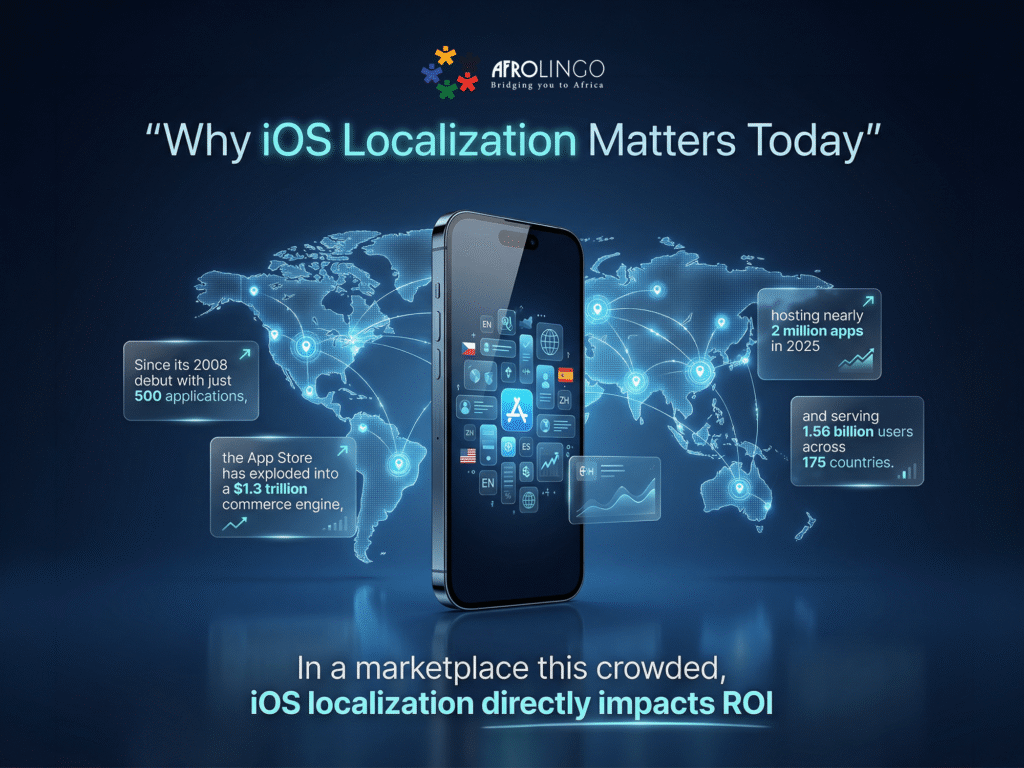
Since its 2008 debut with just 500 applications, the App Store has exploded into a $1.3 trillion commerce engine, hosting nearly 2 million apps in 2025 and serving 1.56 billion users across 175 countries. In a marketplace this crowded, iOS localization directly impacts ROI.
The Strategic ROI: Beyond the Download
With all these numbers, one thing is clear: iOS localization turns global reach into local market share. By treating it as a foundational pillar rather than a post-development “add-on,” you’ll unlock key critical business drivers:
- Accelerated Market Penetration: Localized apps experience up to 128% more downloads in non-English speaking territories. By appearing in local search results and matching local intent, your app can cut through the noise in a marketplace that reached 299 billion downloads worldwide in 2025.
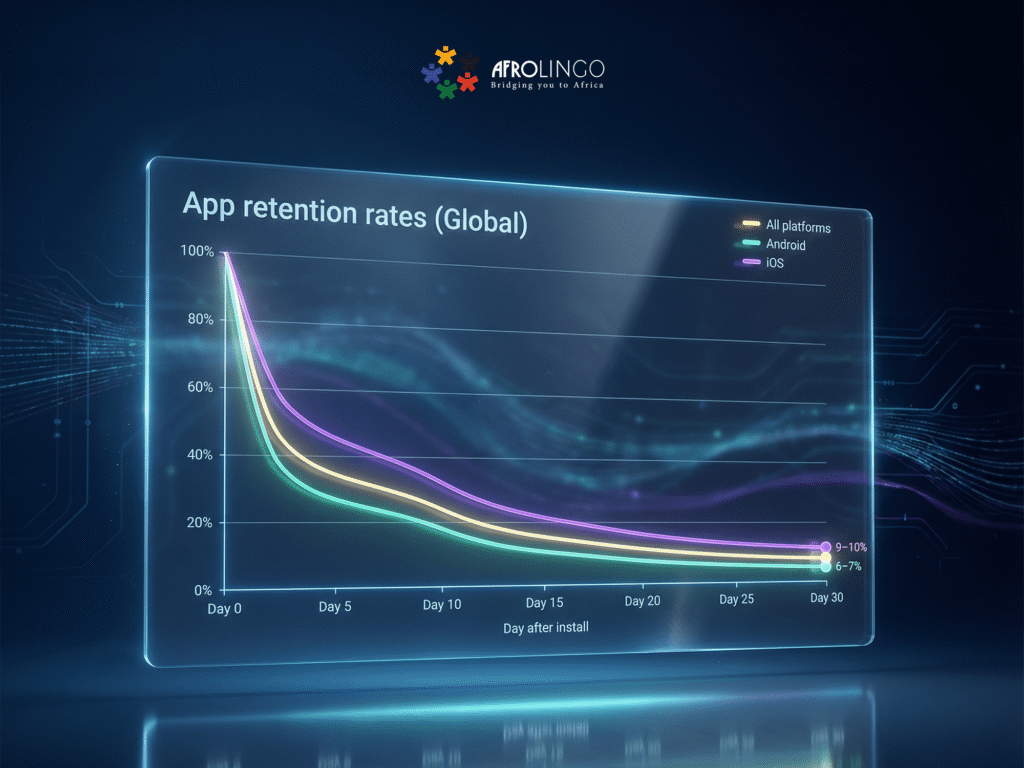
- Higher User Retention: iOS users show day-one retention rates of 24–27%, but this loyalty is fragile. Without localization, 75% of the world’s population cannot use an English-only app. Delivering a truly “native” experience is the key to safeguarding high Customer Lifetime Value (CLV).
- Reduced Conversion Friction: Trust is a currency. Currently, 78% of shoppers are more likely to purchase if the experience is localized. When an app respects local currency, date structures, and cultural nuances, it removes the cognitive friction that prevents a user from hitting “Subscribe.”
- Enhanced Brand Authority: A fully localized app signals a commitment to the region, positioning your brand as a global leader rather than a distant provider.
With App Store spending projected to hit $161 billion by 2026, failing to offer localized versions of your app has become a barrier to global growth that you can no longer afford.
Localization vs. Internationalization: The Foundation
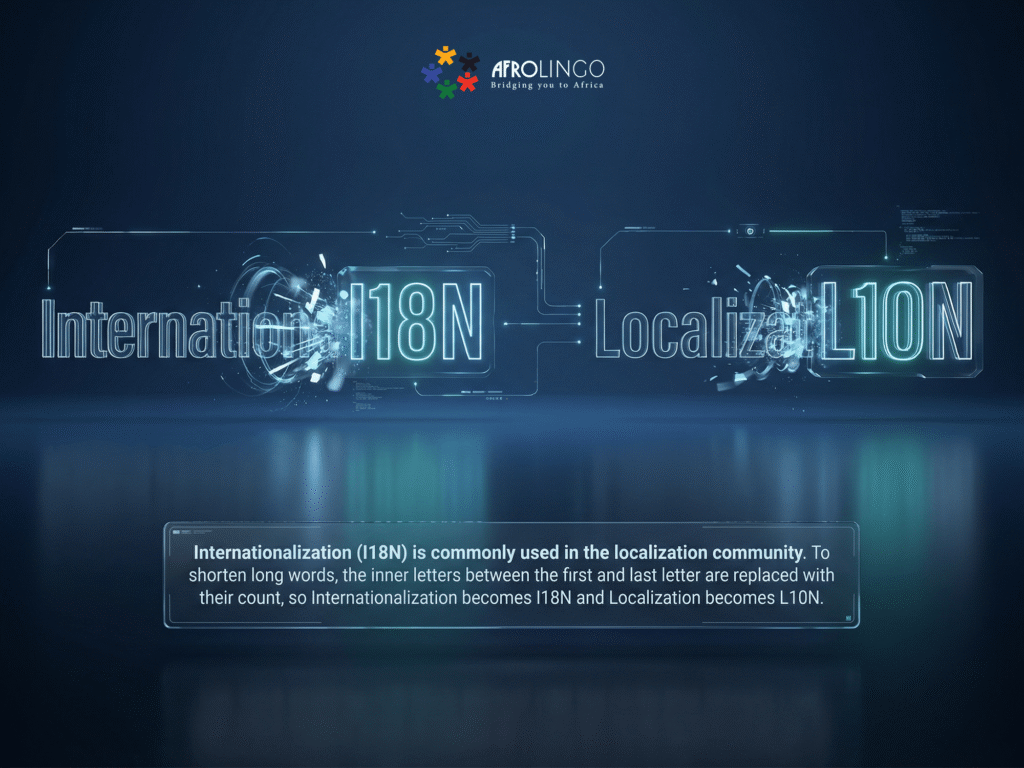
To begin localizing your iOS app content, one must first understand a critical technical divide. For an app to scale globally, executive and technical teams must distinguish between two essential, interlocking processes: Internationalization (i18n) and Localization (l10n).
Understanding this distinction is the key to a seamless global rollout versus a project plagued by technical debt. When localizing your app, you aren’t just changing words; you are re-engineering the user’s relationship with your product.
Defining the Divide:
At its core, internationalization is a developer’s task, while localization is a strategist’s and linguist’s task.
Internationalization (i18n): It is the process of preparing your app to adapt across markets by building flexibility into the code and architecture. This includes separating text into new files, using resource files, supporting right-to-left languages, and handling regional formats. Without i18n, adding to the app’s default language multiple application languages later can cause bugs and layout issues. For example, hard-coded English text can break UI elements when supporting other languages. Using new files for each language ensures the app remains adaptable.
Localization (l10n): Once the structural foundation is set, l10n is where you pour in the “soul” of the local market. This is the process of adapting your content to the specific linguistic and cultural expectations of your users once the app detects their system-wide language and region settings. This goes beyond translation to include:
- Regional Nuance: Using local idioms and dialects (e.g., South African English vs. UK English).
- Format Standards: Automating local currencies, date formats, and measurement systems.
- Visual Logic: Swapping imagery or icons that carry different cultural weights in different territories.
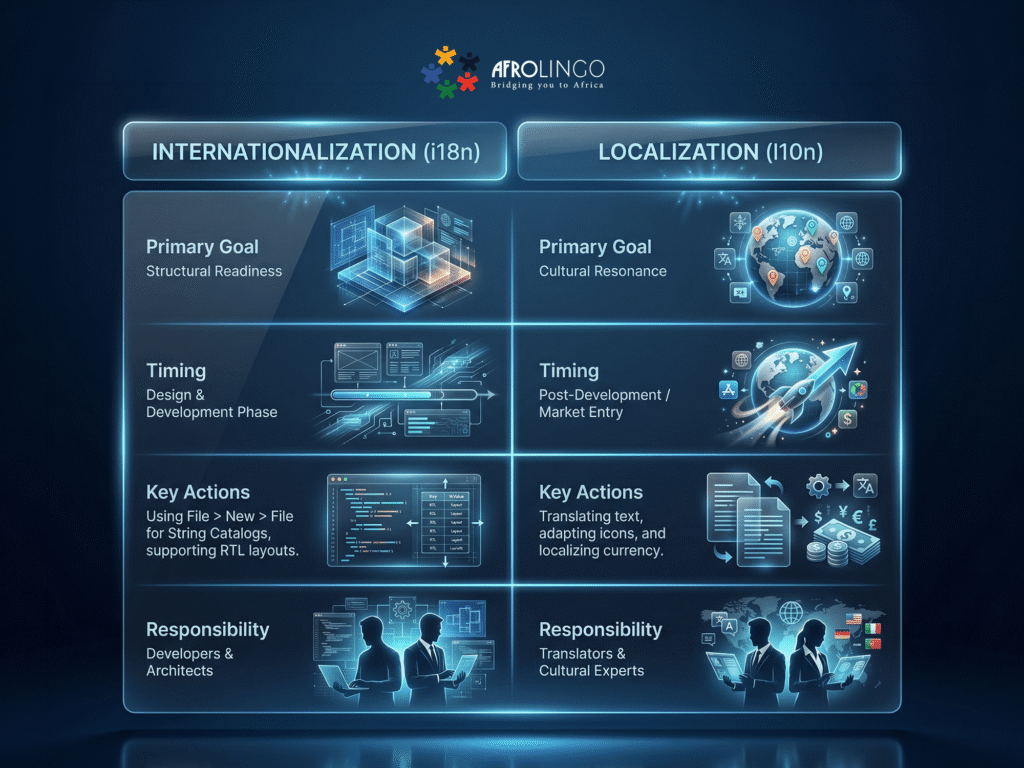
Design(infographic
| Internationalization (i18n) | Localization (l10n) | |
| Primary Goal | Structural Readiness | Cultural Resonance |
| Timing | Design & Development Phase | Post-Development / Market Entry |
| Key Actions | Using File > New > File for String Catalogs, supporting RTL layouts. | Translating text, adapting icons, and localizing currency. |
| Responsibility | Developers & Architects | Translators & Cultural Experts |
Why the Order of Operations Matters
Attempting to adapt your software with iOS localization without a foundation of internationalization is a high-risk strategy. In the past, teams would hard-code text and then realize that it’s too late, because the application language couldn’t be swapped easily.
Understanding both before implementation is critical for three reasons:
- Efficiency at Scale: When i18n is done correctly, adding a new language (like isiZulu or Swahili) becomes a matter of adding content rather than rewriting code. This ensures that once the localization works for your first secondary market, every subsequent market becomes exponentially easier to enter.
- Preserving UI Integrity: Languages vary wildly in length. German can be 30% longer than English, while Arabic requires a mirrored layout. Without $i18n$ planning, localizing your app will result in overlapping text and broken user experiences.
- Validation and Trust: To truly confirm your localization worked, you must look beyond the words. You must ensure the app respects local logic, from date separators to numeral systems. This “native feel” is what builds the trust required for conversion.
iOS Internationalization: Preparing Your iOS App for Localization
To move past the “hard-coding” trap, you need a technical blueprint that decouples your app’s logic from its content. Simply, before you localize your app, you must internationalize it. Internationalization (i18n) is the structural foundation that makes true localization possible. It ensures your app can support multiple application languages and cultural norms without costly rework later.
1 Turn on the “Global Switch”: Base Internationalization
The first step is a strategic shift in how Xcode handles your UI. By enabling Base Internationalization, you create a single master layout that acts as a template for every other territory. Instead of managing a different UI file for every market, Xcode creates a “Base” version that intelligently swaps text based on the user’s settings.
- In your Project file settings, navigate to the Info tab.
- Locate the Localizations section.
- Ensure the “Use Base Internationalization” checkbox is ticked.
Instead of having ten different versions of a login screen, you have one master layout that intelligently pulls content based on the user’s specific language and region settings.
This ensures that when you update a button’s color, the change propagates across every version of the app instantly. According to Apple’s Developer Guidelines, this approach minimizes the risk of UI bugs and reduces maintenance overhead by keeping your resource files lean.
2 The “Control Panel” for Words: String Catalogs
In the past, translations were hidden deep inside code files—a nightmare for non-tech people to check. In 2025, Xcode uses String Catalogs, which look like a simple, organized spreadsheet built right into the development tool. Rather than sifting through lines of code, it provides a visual interface that clearly shows what’s been translated and what still needs attention.
How to Apply This:
- Centralize Everything: Move all hard-coded text into the catalog.
- Leverage AI Syncing: Modern tools allow you to sync these catalogs with AI translation memories. This ensures that as you add new features, your global users aren’t left staring at an empty button or a string of code.
- Visual Audit: Use the “Percentage Complete” bars within the catalog to ensure your language support is consistent across every market before you hit the “Submit” button.
3 Designing for “Visual Elasticity.”
One of the most common executive oversights is assuming a UI that looks perfect in English will look perfect in German or Arabic. It won’t. English is concise; German can be 30% longer, and Arabic requires a complete 180-degree flip of the entire interface.
If your home screen features a beautifully centered “Buy Now” button, that button might break or overlap in a language with longer word lengths.
Best Practices for a Flexible UI:
- Adopt Auto Layout or SwiftUI: Use dynamic constraints that allow your UI elements to grow or shrink based on the text inside them.
- Plan for RTL (Right-to-Left): Internationalization prepares your app to mirror itself. This means your navigation icons, back buttons, and even swipe gestures must adapt to feel natural for users in regions like the Middle East or North Africa.
- Preview Locally: Use Xcode’s “Preview” feature to view your UI in different languages in real-time. Don’t wait until the app is on a user’s phone to realize your home screen title is being cut off.
When you prioritize these technical steps, iOS localization becomes a simple content drop instead of a full code rewrite. Whether a user discovers your app in Nairobi or New York, the experience feels tailored, professional, and, most importantly, native.

The Core Elements of iOS Localization: The “Last Mile” to Market Mastery
Once your technical foundation is set, you enter the most critical phase: the cultural adaptation. This isn’t just about code; it’s about trust. The core elements of iOS localization are the local customs and the familiar comforts that make a user feel at home.
1 Beyond Words: Translation and Cultural Adaptation
Direct, word-for-word translation quickly erodes user trust. Effective iOS localization adapts context, tone, and meaning, not just text, across multiple languages. A playful voice that works in California can feel unprofessional in Japan or overly casual in Saudi Arabia.
Strong language support is part of the user experience. It aligns humor, metaphors, and brand voice with local expectations, turning localization into cultural fluency. Partnering with expert mobile localization services helps ensure your app doesn’t just support multiple languages. It feels native in every market.
A clear real-world example is TikTok’s global rollout. Instead of just translating its interface, it launched locally tailored challenges that matched cultural trends, accelerating worldwide adoption.
2 Numbers that Make Sense: Format Localization
If a user in South Africa sees a date formatted as MM/DD/YY (U.S. style), they might miss an appointment or a deadline. Format localization may seem minor, but it plays a significant role in creating a seamless, trustworthy experience.
- Currency: Automate the switch from Dollars ($) to Rands (R) or Euros (€).
- Dates and Time: Ensure your app respects the 24-hour vs. 12-hour clock and regional date separators.
- Numerals: Some regions use commas as decimal points, while others use periods.
By using Apple’s built-in Formatter APIs, your app automatically detects the user’s settings to display familiar units without manual intervention.
3 Sound and Vision: Visual and Multimedia Assets
A “native” feel extends to what the user sees and hears. A generic stock photo of a snowy winter won’t resonate with a user in the middle of a Kenyan summer.
- Imagery: Swap icons or photos to reflect local architecture, fashion, and diversity.
- Audio Cues: If your app uses voice alerts, ensure the accent and dialect match the locale.
- Website Context: Your app is often supported by a web presence. Strategic website localization services ensure the entire customer journey—from the browser to the App Store—feels cohesive and tailored.
4 Winning the Store: App Store Optimization (ASO)
Your localization efforts should begin in App Store Connect, long before a user downloads the app. If your App Store listing isn’t localized there, up to 80% of your potential market may never discover you.
Actionable Steps for ASO:
- Localize the Title and Subtitle: Use keywords that local users actually type into the search bar.
- Tailor Screenshots: Show the app in the local language and featuring local data (e.g., local maps or currency).
- Translate the Description: Don’t rely on machine translation; use a professional website localization service to write persuasive, high-converting copy.
A real-world example comes from Coin Splash, which recorded a 101% surge in global downloads within 40 days after localizing its App Store metadata across six international markets.
5 The Final Quality Gate: iOS Localization Testing
Before you hit “Release,” you must verify that the experience holds up under real-world conditions. Localization testing is broken into four distinct pillars:
| Test Type | What it Covers |
| Linguistic Review | Checking for grammar, typos, and cultural appropriateness in context. |
| UI and Layout | Ensuring no text is cut off, buttons haven’t broken, and RTL layouts “flip” correctly. |
| Functional Testing | Verifying that local payment gateways, links, and search features work. |
| System Testing | Testing the app on actual devices with the region and language set to the target locale. |
Final Thoughts: The Strategic Payoff of Localization
It’s clear now that iOS Localization is no longer an optional “extra”—it is the key to unlocking the App Store’s full potential.
A successful rollout is proven when users move past the download and start investing their time and capital into your product. Considering that global users spent 4.2 trillion hours in mobile apps in 2024 alone, the stakes for capturing attention have never been higher.
By bridging the gap between technical internationalization and cultural resonance, you transform your app from an import into a local essential, turning massive global engagement into sustainable, long-term growth.